 Homecut





Dubbing into another language
Whisper writes down each line, Qwen3 translates it, and a voice says it where the original was.
Write what each shot shows. Homecut makes the pictures, moves each into the next, speaks the narration, adds sound and music, and exports an MP4.
€49 once, with a 7-day free trial and no card. For Macs with Apple Silicon.
Describe each shot yourself, or say what happens in a few sentences and Qwen3 drafts the storyboard on your Mac.
FLUX.2 klein makes each shot's picture. Wan 2.1 VACE then moves one picture into the next shot's picture.
Kokoro or your own voice reads the narration, Stable Audio adds effects, ACE-Step writes music. Export at 480p or 1080p.
Whisper writes down each line, Qwen3 translates it, and a voice says it where the original was.
Record 10 to 20 seconds and Chatterbox speaks in that voice in 23 languages, only with the speaker's consent.
Describe a sound and Stable Audio Open makes it. ACE-Step writes the music that plays under the film.
The same film in 9:16 for Instagram and TikTok, with subtitles from the narration.
FLUX.2 klein makes it wide, square or tall. Say what to change, and the next picture edits the one you picked.
Start from 100 templates, or upload a meme: macOS Vision reads its words into layers and klein paints the old text out.
24 filters for a made picture or your own photo. The original stays as it was; the PNG saves the filter.
A lifetime licence for one Mac at a time. The 7-day free trial opens every feature from the first launch, and asks for no card.
Sold by 82robots, a Dutch company, through Lemon Squeezy, which handles VAT.

€49once
Each model downloads once, when you ask for it. Activating the licence sends the key and a machine ID, nothing else.
Measured on an Apple Silicon Mac with 32 GB.
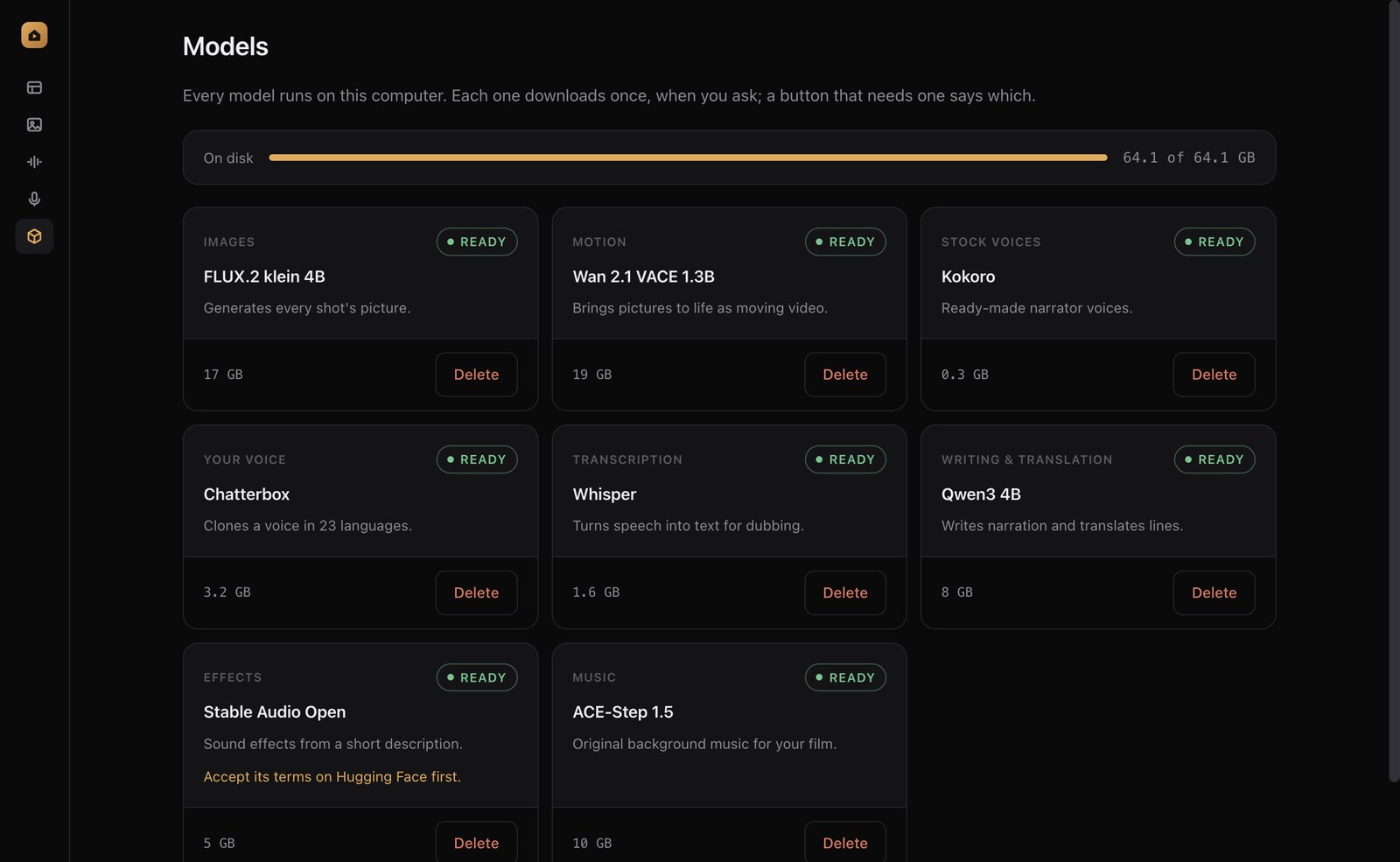
Every feature runs on an Apple Silicon Mac with 24 GB of memory or more. All the models together take about 64 GB of disk, and each downloads only when you first need it.
Coming in the next update
At first launch, and only if you allow it, Homecut checks your chip, memory, free disk and macOS on the Mac itself. It picks the models for each feature and marks the best one for your Mac. You can switch any of them on the Models page.
The standard models for everything. The times on this page were measured on a 32 GB Mac.
From the next update, lighter models for voices and translation, and a low-memory setting for pictures. Motion and music are slow with this memory and start switched off. These limits are estimated while we measure them.
Homecut will not work well here, and from the next update its check tells you so. The 7-day free trial lets you see for yourself before you pay.
Only to download each model once and to activate the licence.
Macs with Apple Silicon. It does not run on Intel Macs, Windows or Linux yet.
About 64 GB with all of them. Each downloads when you first need it.
Yes. Deactivate it on the old Mac (or email support if it is gone), then activate it on the new one.
Its screens are in English and Brazilian Portuguese. Chatterbox speaks 23 languages.
 FINALLY, A QUIET WEEKENDNO WIFI. NO PROBLEM.
 Original
 Pop
 B&W
 Cool
 Film
 Airy